Family memories
Bring more clarity to portraits, reunions, and everyday moments that connect generations.

AI photo restoration
Bring faded, scratched, blurry, or damaged family photos back to life with PhotoReviva. Upload your image, restore it with AI, then download the result or animate it into a living memory.
Results depend on the quality and condition of the original photo.
1 credit per restoration
Restore one photo with one credit.
2 complimentary restorations
New accounts can try two photo restorations.
Download your result
Save the restored image after processing.
Animate after restoring
Turn the restored photo into a short animated video.
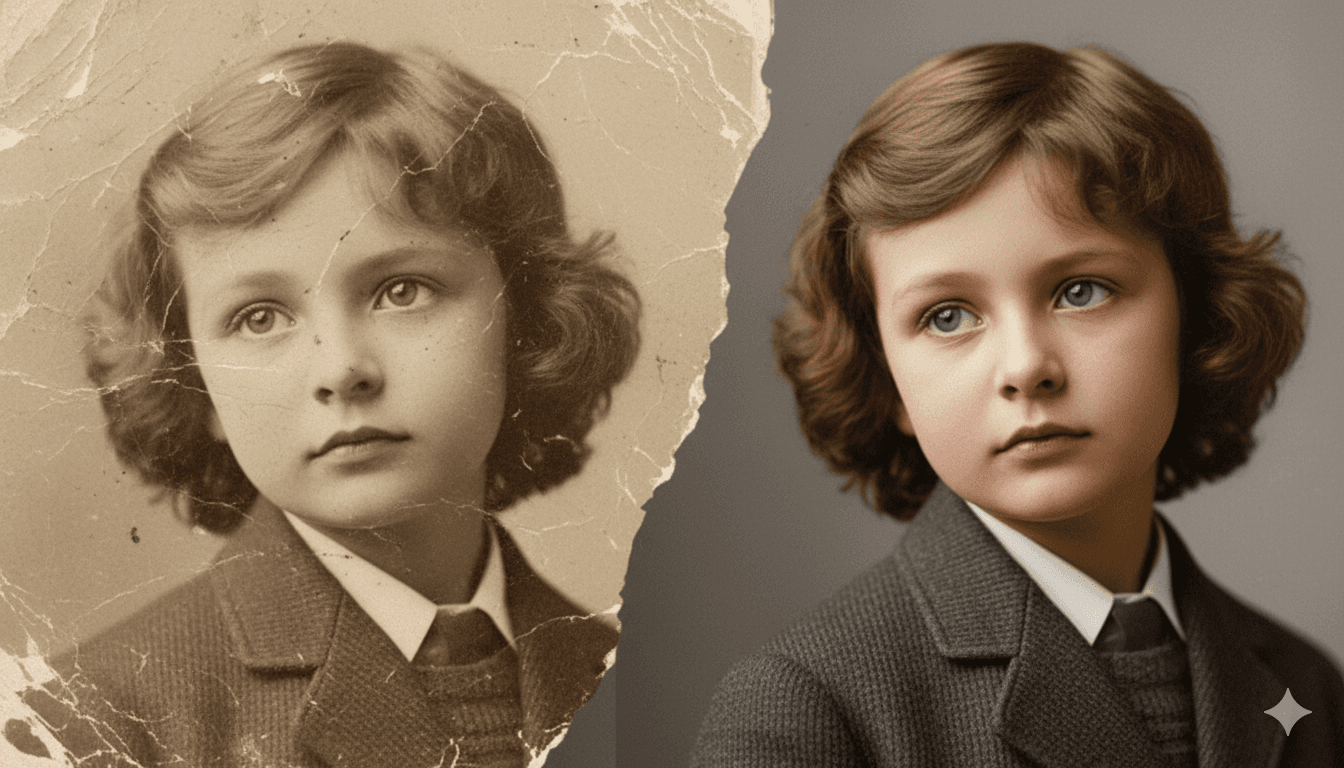
Before and after
A faded or damaged picture can still hold a face, a place, and a moment worth preserving. PhotoReviva helps create a cleaner version while keeping the memory connected to the original photo.
This example is for visual guidance only. Results depend on the quality and condition of your photo.
Memories worth keeping
Some images matter because they are the only version left. Use PhotoReviva for personal memories that deserve a clearer digital copy.
Bring more clarity to portraits, reunions, and everyday moments that connect generations.
Improve old wedding pictures so the people, clothes, and atmosphere are easier to see and share.
Create cleaner digital versions of photos found in albums, boxes, and family archives.
Help faces and details become more readable while preserving the feeling of the original image.
Refresh faded childhood pictures before saving them, printing them, or sharing them with family.
Protect visual memories that help tell where your family comes from and who came before.
How it works
PhotoReviva keeps the process focused: upload an image, let the AI improve it, then choose what to do with the restored result.
Start with a JPG, PNG, or WebP image of the old photo you want to improve.
The restoration model works on clarity, visible damage, faded tones, and readable details where the original image gives it enough information.
Save the restored image after processing, or use it as the starting point for another PhotoReviva tool such as old photo animation.
Take the next step
When you are ready, use the processing tool to repair a photo now. After restoration, you can also create a short animated video from a portrait or family picture.
Capabilities and limits
The best results come from clear expectations. PhotoReviva can improve many old photos, while the final result still depends on the source image.
We use analytics and marketing tools only with your consent. You can change this choice at any time.